Blue Team Labs Online - Killer

After going through rigorous security awareness training also, the newly joined intern has fallen prey to a phishing email that claims that it provides Virus killing and burying services.
Reverse Engineering
Tags: Volatility PEStudio ResourceHacker HashCalc ProcessMonitor ProcessExplorer Autoruns T1547.001 T1566
Scenario There is no patch for Human Stupidity.
After going through rigorous security awareness training also, the newly joined intern has fallen prey to a phishing email that claims that it provides Virus killing and burying services.
The IR team collected the memory dump of the intern’s machine before disconnecting the machine from the internet. Now as a junior malware analyst, your senior assigned the task to you to extract the viruskiller executable from memory, perform analysis and submit the IoCs.
Environment Awareness
Evidence & Tool Discovery
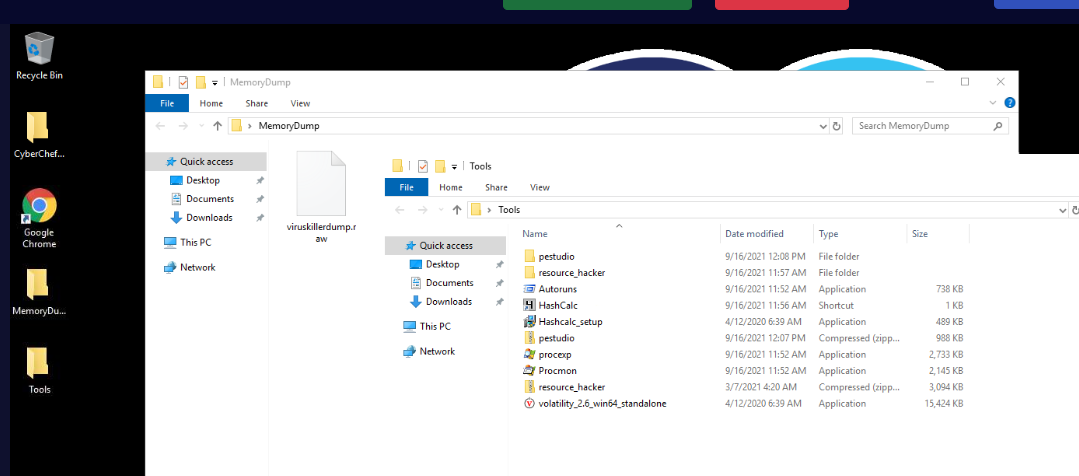
We have a memory dump in MemoryDump folder located on the desktop and we also have several tools within Tools folder too
Lets see what we can do with each tools - pestudio : We can use this tool to conduct static analysis of Windows PE32 malware. - resource hacker : We can also use this tool to conduct static analysis of a malware especially the resources it uses such as icon - Autoruns : We can use this to find out persistence of malwares on Windows so we might have to conduct both static and dynamic analysis of a malware - Hashcalc : We can use this to generate file hash - Process Explorer : Task Manager on steroid - Process Monitor : We can use this to conduct dynamic analysis of malware. - volatility 2.6 : We can use this to conduct memory analysis of a memory dump we have. - CyberChef : We can use this to decode, encode, decrypt and encrypt data
Now lets start the investigation.
Investigation
Q1) PID and PPID of Viruskiller executable
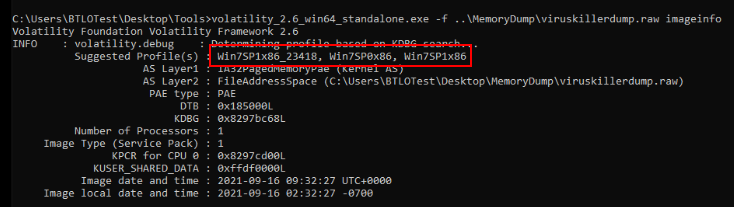
Lets start by determine which profile to use for the memory dump we have since we only have volatility 2 which required suitable profile for in-depth analysis, then we can see that there are 3 suitable profiles that we can use on this memory dump.
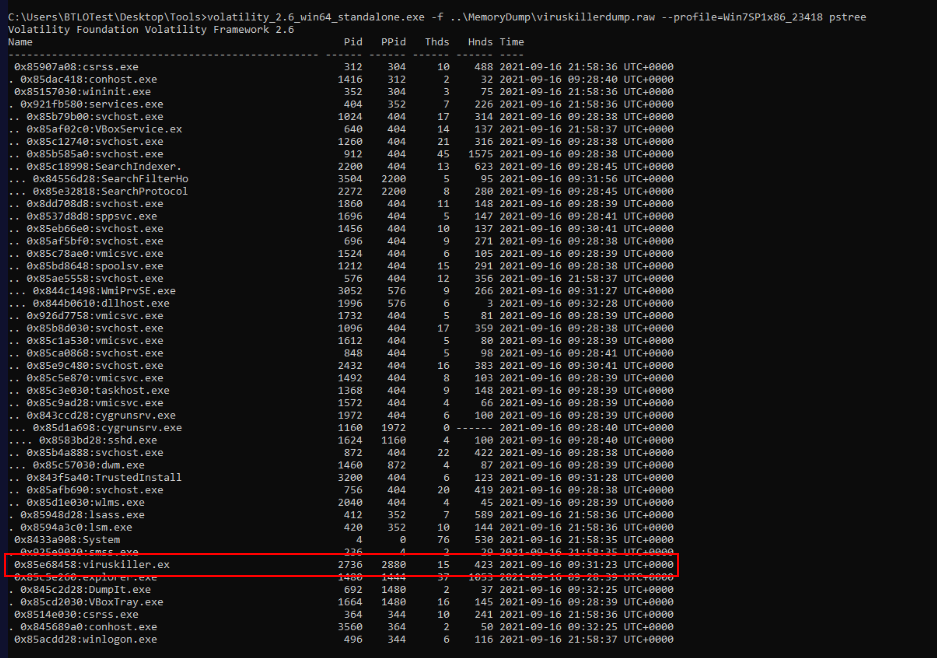
Then we can proceed with plugin that can be used to list processes such as psscan, pslist, pstree and pstree which we can see the viruskiller.exe process's PID and PPID right here.
Answer
2736, 2880Q2) C2 Address: Port

We can find any connection from processes with netscan plugin but even if we filtered for viruskiller.exe, the connection we want to look for might be at the bottom.

To filter those connection that not established then we can filter with string like "ESTABLISHED" then we will have C2 address and port that was contacted by this process right here.
Answer
172.16.0.18:4872Q3) Volatility command used to dump a process executable
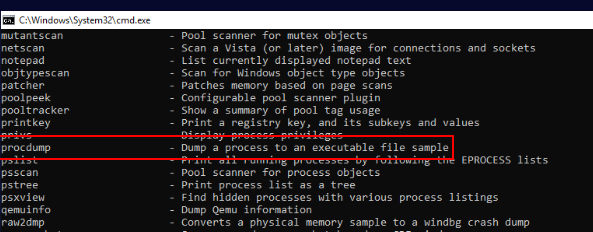
To dump an executable of a process, we have to use procdump plugin which we will have to use it on the next question.
Answer
procdumpQ4) SHA256 of viruskiller executable

After we dumped an executable process with procdump plugin, we can proceed with Hashcalc or pestudio to calculate SHA256 hash of this file but if you don't want to leave the terminal yet then we can use lolbin like certutil to generate the hash for us like this.
Answer
8fb8adef07f4b351fc19a8e488542854d8eb83b5030563cd459eba0786e03eb4Q5) Compiler Timestamp of viruskiller
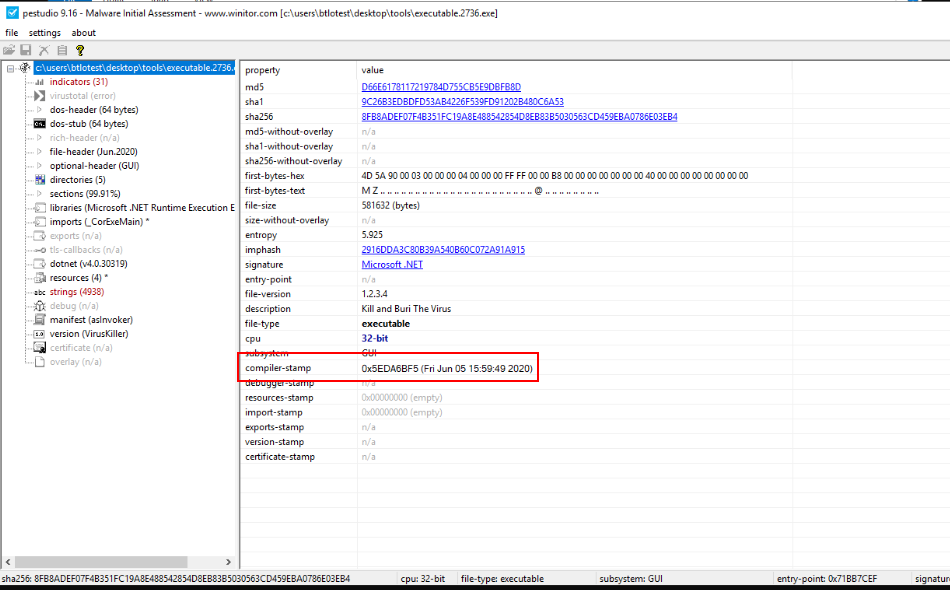
Lets open this viruskiller with pestudio, after wait for a while for the analysis then we will see the compiler timestamp of this malware right here.
Answer
05/06/2020Q6) Which PE section has executable permissions
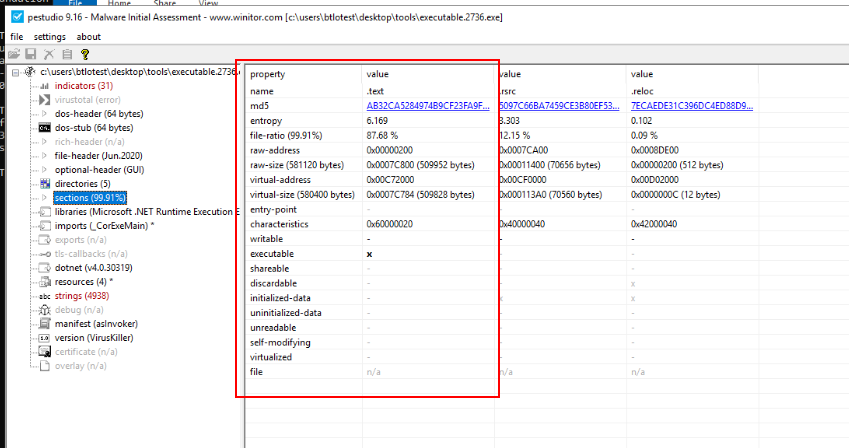
We can take a look at "sections" which we can see that there is only one section has executable permission which is .text section which should not be surprised since .text section contains all the executable codes the will be executed.
Answer
.textQ7) Submit Company Name, File Description of viruskiller executable
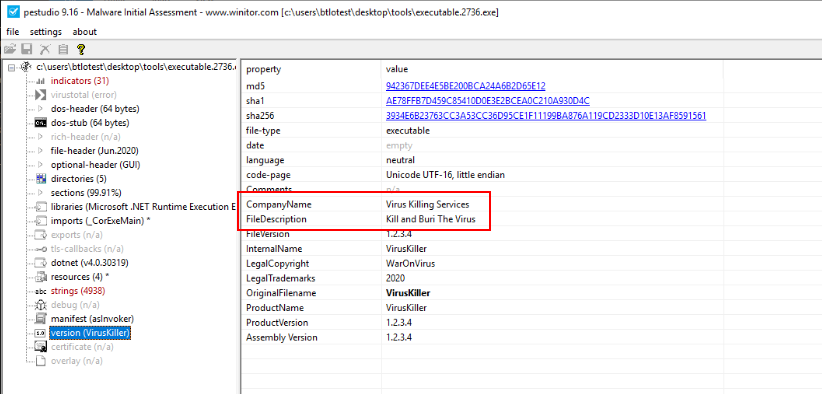
pestudio also detect version of this executable which we can see them in "Version" and as you can see that its also contain Company Name and File Description of this file.
Answer
Virus Killing Services, Kill and Buri The VirusQ8) What is the startup name of viruskiller
Its time to run this malware, when conducted dynamic malware analysis then we will have do launch 2-3 tools we found like procmon, procexp and Autoruns to detect and understand its behavior
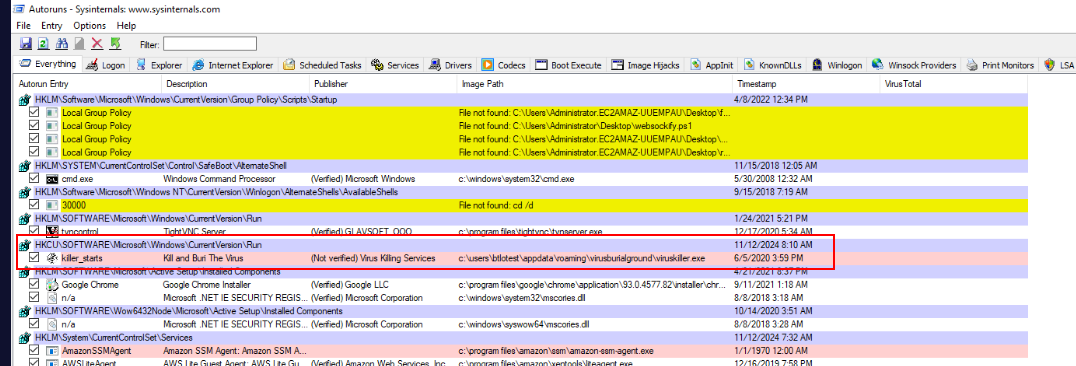
Autoruns detected new registry key has been added for persistence with the name of "killer_starts" which will execute a malware that copied itself to the new location (Q9)
Answer
killer_startsQ9) After executing the viruskiller, to which location it is copied to maintain persistence
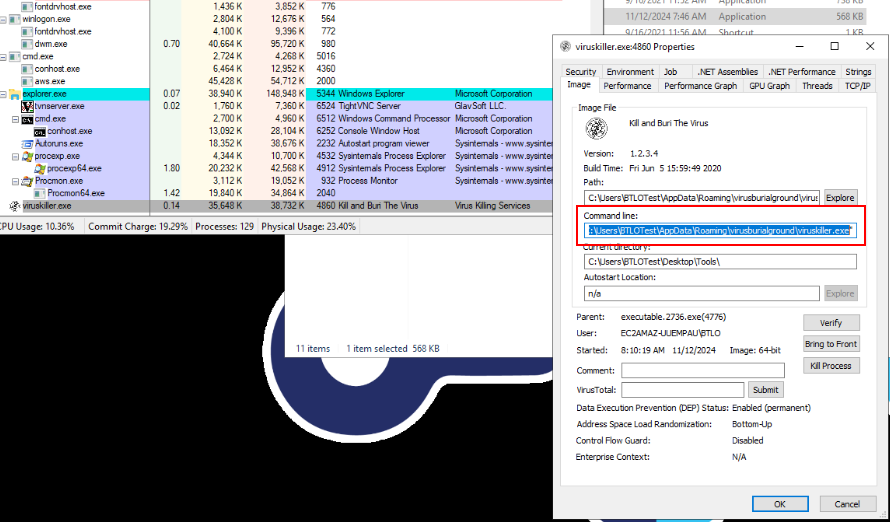
We can also see that after first Viruskiller successfully executed and terminiated itself, the new viruskiller.exe was executed from location we found on Q8
Answer
C:\Users\BTLOTest\AppData\Roaming\virusburialground\viruskiller.exeQ10) Registry Path utilised by viruskiller to maintain persistence
Its run registry of this machine which mean any user if login, VirusKiller will be executed.
Answer
HKLM\SOFTWARE\Microsoft\Windows\CurrentVersion\Run https://blueteamlabs.online/achievement/share/52929/77